The layer explosion that never came
There’s a warning that gets passed around about animating on the web, and it goes something like this.
Give an element a layer of its own and the browser has to give one to everything it overlaps. Layers pile up, and memory goes with them. Keep your layer count down.
The first half of that is real. When you animate an element, the browser can keep it as a separate picture and move that picture around without redrawing the rest of the page. That separate picture is what the browser calls a layer, and it’s what makes the animation cheap. The second half is the catch the warning is about. Anything sitting on top of the animated element has to become a separate picture too, or it would end up drawn underneath. Then anything on top of those. One animated element drags its neighbours up with it, the pictures pile up, the memory to hold them piles up, and the cheap animation ends up costing more than it saved.
That’s the warning. I’ve repeated it myself, twice, in the two posts before this one. Then I tested it.
The warning as something you can drag, a row of plain boxes, one animated box on a layer of its own, and two numbers underneath:
Drag it across. The left number is what the warning predicts, one extra layer for every box the animated one covers. The right number is what Chrome actually did.
Where the warning came from
To see why the warning ever made sense, you need one more thing about layers: they’re stacked in order, like sheets of film on a desk. Most of a page lives on a single sheet, holding everything, and an element only gets a sheet of its own when the browser has a reason to give it one. Say a plain box is drawn on top of the animated one, because it comes later in the page. If the animated box is lifted onto its own sheet, the plain box can’t stay down on the page’s sheet, because then it would be drawn underneath the thing it’s meant to be on top of. So it has to be lifted too. And the box on top of that one, and so on.
Chrome’s list of reasons for giving an element a layer still has an entry for exactly this. Most of the reasons are things about the element itself: a 3D transform, will-change, a running transform or opacity animation, a video, a canvas, an iframe. The browser can see all of those coming. Then there’s one that isn’t about the element at all. Blink’s compositing reasons file describes it as “based on overlapping relationship among pending layers”, and it’s worked out after painting, because whether one thing overlaps another is a fact about where things landed.
So the reason exists, and the old advice followed from it. It just doesn’t produce what the advice says it produces.
Where the boxes went
The right-hand number didn’t move because there was nothing to count. Chrome made no extra layers for those ten boxes, and you can check that two ways, one of them in your own browser in about a minute.
The first is Chrome’s layer outlines. DevTools has a Rendering panel with a box labelled Layer borders, and ticking it draws an outline around every composited layer. Here’s the test page with the animated box covering all ten:
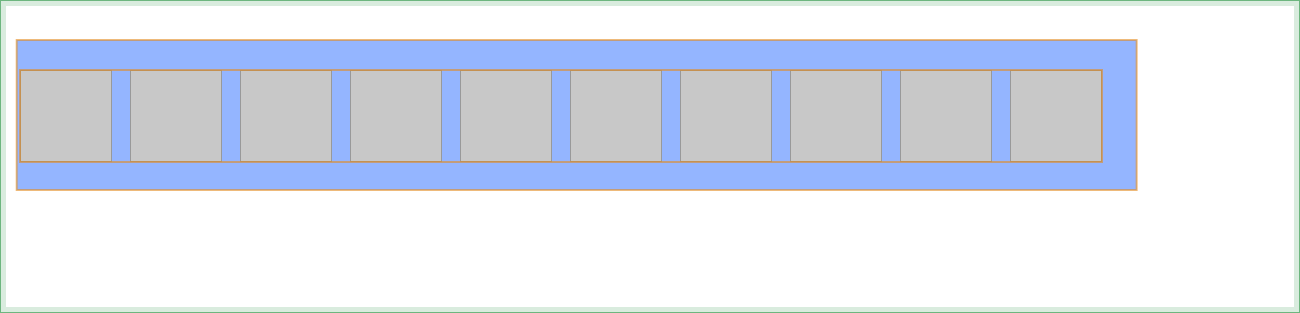
One outline around the animated box, and one around the whole row of ten, rather than ten.
The second is a trace, which is the harder of the two to repeat at home. Chrome can be asked over its debugging protocol how many separately composited pieces it draws each frame, and covering ten boxes gives the same number as covering none, at 18 per frame. Making the boxes into stacking contexts with z-index doesn’t change it. Giving them a static opacity doesn’t change it.
What’s going on is that the browser doesn’t hand each overlapping box a layer. It collects them. When the browser paints, it produces runs of drawing called paint chunks. Blink groups those into what it calls a pending layer, defined in its source as “a collection of paint chunks that will end up in the same cc::Layer”, where cc is Chrome’s compositor. Then it tries to merge pending layers together: the merge step “merges guest into this if it can”. Boxes that sit above the animated one all need to be above it, but they don’t each need their own sheet to be above it. One sheet, with all ten drawn on it, satisfies the stacking order just as well. So that’s what it makes.
The warning imagined one layer per box. The browser makes one for the lot.
This is also why the decision happens so late. Merging is done on paint chunks, and chunks only exist once painting is finished, so Chrome moved the whole compositing decision to after paint and shipped that in Chrome 94. Chromium’s notes on the change describe the step before it as already sending “a layer list instead of a tree”.
The layers you actually get
What multiplies layers is the page asking for them, and overlap has nothing to do with it.
The same row, twice, with nothing overlapping anything:
transform: translateZ(0)8 layersThe top row is plain. The bottom row has transform: translateZ(0) on every box, which is the old trick for forcing an element onto its own layer. In the trace, that takes a frame from 18 composited pieces to about 45, and Chrome’s outlines show why:
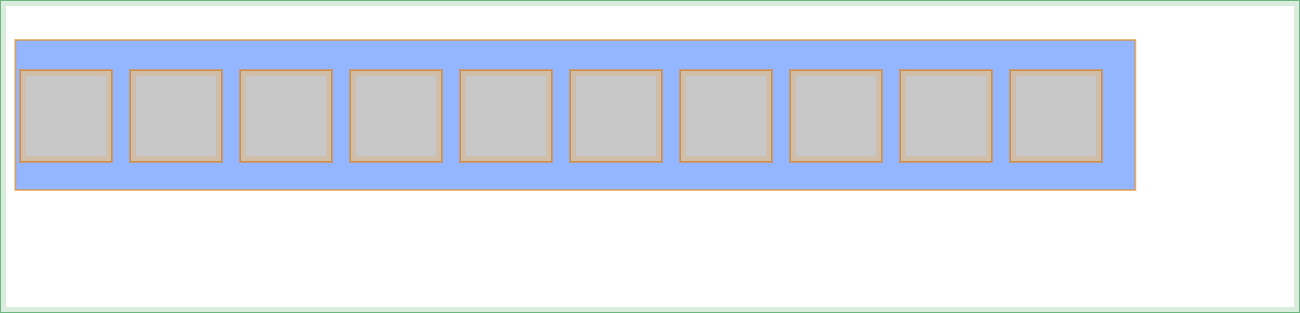
Ten outlines. One per box. And it happens whether or not anything overlaps them, because the reason is on the element, not around it.
The old advice said layers pile up, so it recommended taking control: promote the things you animate yourself, ahead of time, with translateZ(0) or will-change. Applied to one element, that’s fine. Applied to a list, a grid, every card on a page, it’s the only thing in this post that actually produces a pile of layers. The fix the advice recommended is the one thing here that causes the problem it was worried about.
What a layer costs
Every layer is a picture, and a picture has to live somewhere. Google’s guidance on layers puts it plainly: “every layer you create requires memory and management, and that’s not free.”
There isn’t a clean way to measure the cost per layer. Chrome only draws the parts of layers that are near the viewport, and it pools the memory it uses for them, so the total tracks what’s on screen rather than how many layers exist. What I can give you is the arithmetic. A layer holds its visible pixels at four bytes each, at device resolution. A layer that’s 1200 by 400 CSS pixels is about 1.8 megabytes on a plain screen and about 7.3 on a 2x one. Eight of those is a lot. Eight boxes of 90 by 90 is not.
So the count on its own doesn’t tell you much. Layer area on screen does.
Seeing it yourself
Open DevTools, press Escape for the drawer, and find the Rendering tab. Tick Layer borders. Every composited layer on the page gets an outline, and you can watch them appear and disappear as you scroll and hover. If you want the reason for a particular layer, the Layers panel under More tools names it, and the reason it names is the one from Blink’s list.
Then look at what has an outline. If it’s the things you animate, good. If it’s every card in a list because someone added translateZ(0) to the card component five years ago, you’ve found the layers, and you’ve found where they came from.
The advice, turned around
The old advice had the goal right and the method backwards. The goal is still to keep layer area down. The method is to stop asking for layers you don’t need.
Promote the thing you animate, right before you animate it, and take the hint off when the animation ends. Don’t put will-change or translateZ(0) in a shared component where it’ll be applied a hundred times. And don’t budget for the overlap explosion, because it isn’t coming. The browser will merge what it can. It will hand out exactly as many layers as the page asks for, and then one for each thing that’s moving.
The explosion never came. The layers came from us.